
Stop wondering what to post every day. Learn how to organise your ideas, plan your content, and build a consistent social media presence with a simple content calendar.
Introduction
Have you ever opened Instagram to publish a post, only to realise you have no idea what to share?
You scroll through other accounts for inspiration, think of a few ideas, and eventually postpone posting because nothing feels right. If this sounds familiar, you’re not alone.
Planning social media content can feel overwhelming, especially when you’re managing a business page, building your personal brand, or learning digital marketing.
This is where a social media content calendar can help.
A content calendar gives your ideas structure. Instead of deciding what to publish at the last minute, you can plan topics, prepare captions, organise visuals, and schedule posts in advance.
In this guide, we’ll explore what a social media content calendar is, why it matters, and how you can create one from scratch—even if you’re a complete beginner.
What Is a Social Media Content Calendar?
A social media content calendar is a planning tool that helps you organise the content you intend to publish across social media platforms.
It typically includes the publishing date, platform, content topic, format, caption, call to action, and publishing status.
For example, if you’re managing a digital marketing page, your calendar might include an educational carousel on Monday, a short video on Wednesday, and a personal learning post on Friday.
The purpose is simple: know what you’re posting, when you’re posting it, and why you’re posting it.
You can create your calendar using Google Sheets, Excel, Notion, or another planning tool. You don’t need expensive software to get started.
Why Do You Need a Content Calendar?
Creating content without a plan can lead to inconsistent posting, repeated topics, and unnecessary last-minute stress.
A content calendar helps you work more strategically.
1. It saves time
When you plan your content in advance, you can brainstorm ideas, write captions, and prepare visuals in batches. This reduces the time spent deciding what to post each day.
2. It helps you stay consistent
Consistency doesn’t necessarily mean posting every day. It means maintaining a realistic publishing schedule that you can sustain.
A calendar helps you set expectations and organise your workload.
3. It keeps your content balanced
Without a plan, you might end up publishing promotional posts repeatedly. A calendar helps you balance educational content, entertainment, personal stories, and brand updates.
4. It supports your marketing goals
Every post should have a purpose. Some posts may introduce your brand, others may encourage engagement, and some may direct people to your website or services.
Planning helps connect individual posts to your larger goals.
5. It makes performance tracking easier
When your posts are organised, you can compare their performance and identify which topics and formats work best for your audience.
How to Create a Social Media Content Calendar From Scratch
You don’t need to build a complicated strategy on your first attempt. Follow these seven steps to create a simple calendar you can actually use.
Step 1: Define Your Goal
Before you start brainstorming posts, decide what you want your social media account to achieve.
Your goal might be to:
- Increase brand awareness.
- Grow an engaged audience.
- Drive traffic to your website.
- Generate leads or enquiries.
- Build your personal brand.
- Showcase your skills and projects.
For example, if you’re building a digital marketing portfolio, you might focus on sharing useful knowledge, demonstrating your creative process, and directing readers to your website.
A clear goal helps you decide which content deserves your time.
Step 2: Understand Your Target Audience
Your content should speak to the people you want to reach.
Think about who they are, what they’re interested in, and what challenges they face.
For a beginner-focused digital marketing page, your audience might include students, aspiring marketers, small business owners, and new content creators.
Consider these questions:
- What do they want to learn?
- What problems can you help them solve?
- Which questions do they frequently ask?
- Which social media platforms do they use?
The better you understand your audience, the easier it becomes to create relevant content.
Step 3: Choose Your Content Pillars
Content pillars are the main themes you regularly cover on your social media account.
They give your content direction and help you generate ideas consistently.
For a digital marketing brand, you could use these five pillars:
Education: Explain topics such as SEO, content marketing, branding, and social media strategy.
Tips and tools: Share practical advice, useful websites, and tools that make digital marketing easier.
Personal journey: Talk about what you’re learning, challenges you’ve faced, and lessons from your projects.
Behind the scenes: Show how you plan a blog, design a post, or create a video.
Engagement: Ask questions, run polls, and invite your audience to share their experiences.
You don’t need to use all five. Start with three or four that align with your goals and audience.
Step 4: Brainstorm Your Content Ideas
Now that you have your content pillars, start creating a list of post ideas.
For example, under the education pillar, you could write:
- What Is SEO? A Beginner’s Guide
- Five Content Marketing Tips for Beginners
- What Is a Social Media Content Calendar?
- How to Write an Engaging Social Media Caption
- Reach vs. Engagement: What’s the Difference?
Under your personal journey pillar, you could share what you’ve learned from building your website, creating your first blog, or experimenting with a new digital marketing tool.
Keep these ideas in one place. When inspiration strikes, add it to your list instead of relying on memory.
Step 5: Choose the Right Platform and Format
Not every idea needs to become an Instagram post. Choose the platform and format that best communicate your message.
For example:
- Instagram carousel: Step-by-step guides and lists of useful tips.
- Instagram Reel: Quick tutorials, demonstrations, and behind-the-scenes videos.
- LinkedIn post: Professional insights, project updates, and career lessons.
- Website blog: Detailed explanations, guides, and evergreen resources.
- Instagram Stories: Polls, questions, short updates, and informal interactions.
You can also repurpose one idea across multiple platforms.
For example, a detailed website blog about content planning could become an Instagram carousel, a short Reel, and a LinkedIn post.
Repurposing helps you reach different audiences without starting from scratch every time.
Step 6: Create Your Publishing Schedule
It’s time to turn your ideas into a calendar.
Choose a realistic posting frequency based on your available time, resources, and goals. You might begin with three social media posts per week rather than trying to publish every day.
For each post, record:
- Publishing date
- Platform
- Content pillar
- Post topic
- Format
- Caption
- Call to action
- Status
You can also add columns for the creative asset link, hashtags, and performance results if you need them.
Once your calendar is filled in, prepare captions and visuals ahead of time. If your chosen platform supports scheduling, schedule your posts in advance.
Step 7: Review Your Results and Improve
Your first content calendar doesn’t need to be perfect. The important part is learning from the results.
At the end of each week or month, review your performance.
Look at metrics such as reach, saves, shares, comments, profile visits, website clicks, or enquiries, depending on your goals.
Ask yourself:
- Which topics attracted the most interest?
- Which posts encouraged conversations?
- Which formats performed well?
- Did my content help achieve my goal?
- What should I try differently next month?
Use what you learn to improve your next calendar. Content planning becomes more effective when it combines preparation with experimentation.
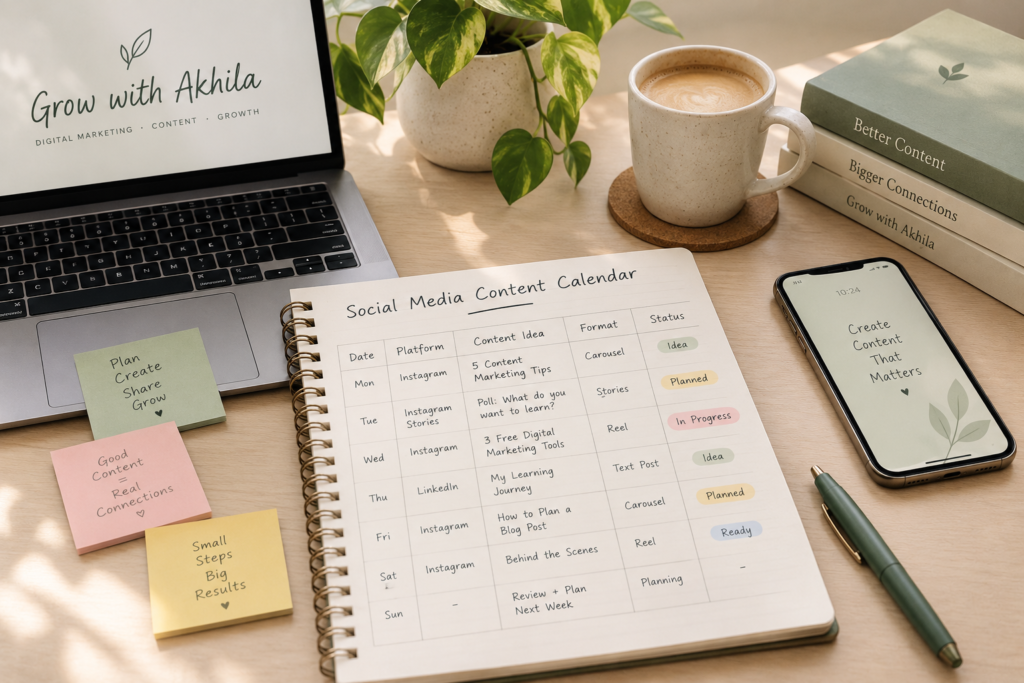
A Sample Weekly Social Media Content Calendar
If you’re wondering how this works in practice, here’s a simple example for a digital marketing page.
| DAY | CONTENT IDEA | FORMAT | GOAL |
| MONDAY | Five Content Marketing Tips | Instagram carousel | Educate |
| TUESDAY | Ask followers what they want to learn | Instagram Stories poll | Engage |
| WEDNESDAY | Three Free Digital Marketing Tools | Instagram Reel | Educate |
| THURSDAY | Lessons From My Digital Marketing Journey | LinkedIn text post | Build connection |
| FRIDAY | How to Plan a Blog Post | Instagram carousel | Educate |
| SATURDAY | Behind the Scenes of Creating a Blog | Reel or Story | Build connection |
| SUNDAY | Review results and plan the next week | Planning task | Improve |
This is only a sample. You can reduce the number of publishing days or adapt the formats to suit your audience.
Notice that Sunday is a planning day rather than a publishing day. Your calendar should support your workflow, not create unnecessary pressure.
Best Tools for Planning Your Content
You can start with a simple spreadsheet and add more tools as your workflow grows.
Google Sheets
A practical option for organising dates, content ideas, captions, publishing status, and performance metrics.
Notion
Useful for keeping your content ideas, research notes, drafts, and planning documents in one workspace.
Canva
Helpful for creating social media graphics, carousel templates, and visual assets.
Meta Business Suite
Can help eligible users manage and schedule supported Facebook and Instagram content.
Trello
Useful for tracking posts through stages such as Ideas, In Progress, Ready to Publish, and Published.
Choose tools based on your needs. You don’t need to use all of them at once.
Common Mistakes to Avoid
Even a well-organised calendar can become ineffective if the content lacks direction.
Here are a few mistakes to watch out for:
Planning too much: Don’t fill your calendar with more posts than you can realistically create.
Following every trend: Consider whether a trend is relevant to your audience and brand before participating.
Ignoring your audience: A calendar should reflect audience needs, not just the topics you want to promote.
Repeating the same content: Use different formats and perspectives to keep your content useful and interesting.
Forgetting your goals: Make sure your content supports a clear purpose rather than simply filling a date.
Never reviewing results: Use performance data and audience feedback to improve your strategy.
Remember, a content calendar is a guide, not a rigid rulebook. Leave room for timely updates, fresh ideas, and conversations with your audience.
Final Thoughts
Creating a social media content calendar is one of the simplest ways to bring structure to your digital marketing efforts.
You don’t need a complicated strategy or a long list of tools. Start with a clear goal, understand your audience, choose a few content pillars, and plan your posts one week at a time.
As you publish and review your results, you’ll learn more about what your audience values and how to improve your content.
For anyone starting in digital marketing, my biggest takeaway is this: consistency becomes easier when you have a plan, and your plan becomes stronger when you learn from experience.
Start small, stay curious, and keep improving.
Let’s Talk!
How do you currently plan your social media content? Do you use a spreadsheet, a planning app, or simply write down ideas whenever inspiration strikes?
Share your thoughts and favourite planning tools in the comments!
Written by Akhila | Grow with Akhila
Exploring digital marketing, creativity, and practical ways to grow online.